
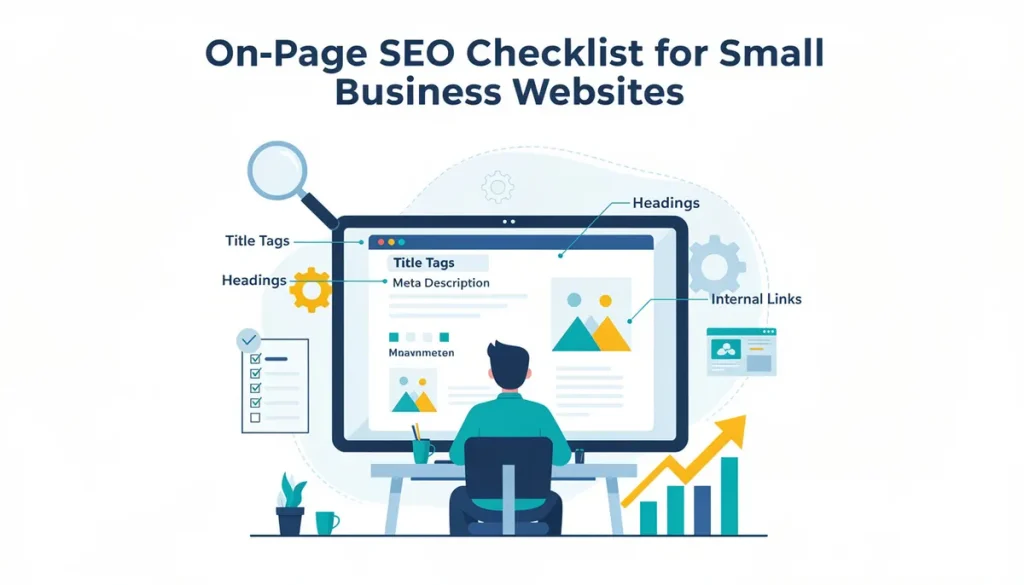
On-page SEO is the category of optimization you have the most control over. Unlike backlinks (which depend on other sites) or local signals (which depend on third-party platforms), on-page SEO is entirely about what happens on your own website. For small businesses, it is also where the most impactful quick wins usually hide.
This on-page SEO checklist small business guide covers the elements that actually move rankings, ordered by priority. You do not need to do everything at once. Start at the top and work down. The first five items account for the majority of on-page ranking impact.
The Complete On-Page SEO Checklist
Before diving into details, here is the full checklist with priority ratings:
| Priority | Element | What to Check | Impact |
|---|---|---|---|
| 1 | Title tags | Unique, keyword-included, 50-60 characters | High |
| 2 | Search intent match | Content matches what Google rewards for your keyword | High |
| 3 | Heading structure | H1 with keyword, logical H2/H3 hierarchy | High |
| 4 | Content depth | Comprehensive enough to outperform competitors | High |
| 5 | Internal links | 3-5 relevant internal links per page | High |
| 6 | Meta descriptions | Unique, compelling, 140-155 characters | Medium |
| 7 | URL structure | Short, descriptive, keyword-included | Medium |
| 8 | Image optimization | Compressed, descriptive alt text, proper dimensions | Medium |
| 9 | Schema markup | LocalBusiness, Article, FAQ where appropriate | Medium |
| 10 | Mobile usability | All content accessible and readable on mobile | Medium |
| 11 | Page speed | Core Web Vitals passing (LCP < 2.5s, INP < 200ms, CLS < 0.1) | Medium |
| 12 | Content freshness | Updated within the last 12 months for time-sensitive topics | Low-Medium |
Now let’s break each one down.
1. Title Tags
Your title tag is what appears as the clickable headline in search results. It is the single strongest on-page signal for telling Google what keyword a page targets.
What good looks like:
- Contains your primary keyword, ideally near the beginning
- 50 to 60 characters (Google truncates longer titles)
- Unique across every page on your site
- Compelling enough to earn clicks over competing results
- Different from your H1 (slight variation is fine)
Common mistakes:
- Duplicate titles across multiple pages (Google cannot differentiate them)
- Keyword-stuffed titles that read unnaturally (“SEO Services SEO Company Best SEO”)
- Missing keywords entirely (generic titles like “Services” or “Blog”)
- Too long (important keywords get cut off in search results)
For small business sites, a simple formula works well: Primary Keyword + Qualifier or Location. For example: “Plumbing Repair in Oshawa” or “Technical SEO Audit: What It Includes.”
2. Search Intent Match
This is the most overlooked element and arguably the most important. If your page does not match what Google considers the correct content format and depth for your keyword, no amount of optimization will rank it.
How to check intent:
Search your target keyword in Google. Look at the top 5 results:
- Are they guides, listicles, product pages, or local pages?
- How long are they?
- What subtopics do they cover?
- What format (tables, steps, videos, images) do they use?
Your page must match this pattern. If the top results are all 2,000-word comprehensive guides and your page is a 300-word overview, the intent mismatch will prevent ranking regardless of other optimization.
For service pages: If results show a mix of service pages and informational content, lean toward the format that matches your page type (service page for commercial intent, blog post for informational intent).
3. Heading Structure
Headings (H1, H2, H3) create a hierarchy that tells Google how your content is organized and what each section covers. Properly structured headings also improve accessibility and readability for visitors.
Rules:
- One H1 per page (your page title, including the primary keyword)
- H2 headings for major sections (include keyword variations where natural)
- H3 headings for subsections within an H2
- Never skip levels (do not go from H2 directly to H4)
- Use question format for at least some headings (matches how people search)
For small business service pages:
A logical heading structure might be: H1 (service name), H2 (what it includes), H2 (who it is for), H2 (how the process works), H2 (FAQ), H2 (pricing or next steps).
For blog posts:
Use H2s for each major point or question the post addresses. Use H3s for supporting details within a section.
4. Content Depth
Thin content is the most common on-page issue for small business sites. Pages with 100 to 200 words of generic text cannot rank because they do not provide enough substance for Google to assess quality or for users to find value.
Minimum content guidelines by page type:
- Homepage: 400 to 800 words
- Service pages: 800 to 1,200 words
- Blog posts: 1,200 to 1,800 words
- Location pages: 400 to 600 words
These are minimums. The real target is matching or exceeding the depth of content that currently ranks for your keyword. If competitors have 2,000-word service pages, your 400-word page will not compete.
What depth means (it is not just word count):
- Cover the topic comprehensively (do not leave obvious questions unanswered)
- Include specific details, examples, or data
- Address common objections or misconceptions
- Provide something competitors do not (unique expertise, local context, practical steps)
5. Internal Links
Internal links distribute ranking power across your site and help Google discover all your pages. They also signal which pages you consider most important and how topics relate to each other.
Best practices for small business sites:
- Every page should have at least 3 to 5 internal links pointing to other relevant pages
- Use descriptive anchor text (the keywords of the destination page, varied naturally)
- Link from high-authority pages (homepage, popular posts) to pages you want to rank
- Service pages should link to related blog posts
- Blog posts should link to their parent service page
- Do not use “click here” or “read more” as anchor text
A practical audit: For each page on your site, check how many internal links point to it. If an important page has fewer than 3 internal links from other pages, it is under-linked and likely under-performing because of it.
6. Meta Descriptions
Meta descriptions do not directly affect rankings. They affect click-through rate, which indirectly affects rankings. A compelling meta description can be the difference between a searcher clicking your result versus a competitor’s.
Guidelines:
- 140 to 155 characters
- Include the primary keyword (Google bolds it in results)
- Write as a compelling reason to click (what will the reader gain?)
- Unique for every page
- Avoid duplicate or auto-generated descriptions
If you leave the meta description empty, Google will pull a snippet from your page content. Sometimes that works fine. Usually, a manually-written description performs better.
7. URL Structure
Clean URLs help both users and search engines understand what a page is about before they visit it.
Good URL characteristics:
- Short (3 to 5 words after the domain)
- Includes the primary keyword
- Uses hyphens between words
- Lowercase only
- No unnecessary parameters, numbers, or session IDs
- Logically organized (/services/local-seo/ rather than /page?id=47)
For small business sites with fewer than 50 pages, a flat or one-level-deep URL structure works well. Do not over-complicate it with deeply nested directories.
8. Image Optimization
Images affect page speed (large files slow loading) and provide an additional ranking signal (Google Image search). Properly optimized images also improve accessibility.
Checklist for every image:
- Compressed to an appropriate file size (under 200KB for most web images)
- Served in modern format (WebP preferred over JPEG/PNG)
- Sized to display dimensions (do not upload a 4000px image displayed at 600px)
- Has descriptive alt text (describe what the image shows, include keyword if natural)
- Has proper width and height attributes (prevents layout shift)
- Uses a descriptive filename (seo-audit-results.webp, not IMG_4392.jpg)
9. Schema Markup
Structured data helps Google understand your content explicitly. For small businesses, the most impactful schema types are:
- LocalBusiness: On your homepage or contact page (business details, hours, location)
- Article/BlogPosting: On every blog post (author, publish date, headline)
- FAQ: On pages with FAQ sections (generates FAQ rich results in search)
- Breadcrumb: Site-wide (shows navigation path in search results)
If you use WordPress with an SEO plugin, much of this is handled automatically. Check with Google’s Rich Results Test to confirm it is working.
10. Mobile Usability
Google uses mobile-first indexing, meaning it evaluates the mobile version of your site for rankings. If your site looks broken or is hard to use on mobile, rankings suffer.
Quick mobile check:
- Text is readable without zooming
- Buttons and links are large enough to tap (at least 48px target size)
- No horizontal scrolling required
- Images scale properly
- Forms are usable on mobile
- Pop-ups do not obscure content
11. Page Speed
Page speed is a confirmed ranking factor. For small business sites, the most common speed issues are unoptimized images, no caching, and slow hosting.
The targets: LCP under 2.5 seconds, INP under 200 milliseconds, CLS under 0.1. Check your scores at PageSpeed Insights and prioritize fixing whatever is flagged red.
12. Content Freshness
For topics where information changes (pricing, regulations, technology, statistics), Google favors recently-updated content. If your blog posts reference data from three years ago or your service pages describe outdated processes, that staleness works against you.
Review and update time-sensitive content at least annually. Update the date only when you make substantive changes, not just cosmetic edits.
Where Should You Start?
If you are looking at this list and feeling overwhelmed, focus here first:
- Fix title tags on your top 5 most important pages (homepage + main service pages)
- Ensure those pages have enough content depth to compete
- Add 3 to 5 internal links between related pages
- Check that every page has a unique meta description
These four actions take a few hours and address the highest-impact on-page elements. Everything else can be tackled incrementally over the following weeks and months. On-page SEO is not a one-time project. It is a practice you revisit quarterly as you publish new content, update existing pages, and respond to competitive changes in your market.